
Anatolkin Mosaic Gallery for TYPO3 13 & 14
I’ve been building websites with TYPO3 since the early 2000s — long enough to call it an old friend.
At some point I realized that I was still missing something surprisingly simple: an image gallery that was easy to configure, flexible enough for photography, artwork, portfolios, and editorial content, and didn’t require fighting the layout every time.
So I built Anatolkin Mosaic Gallery.
What started as a small extension for my own websites has grown into a flexible gallery toolkit for TYPO3. It now combines multiple responsive layouts, folder-based and manually selected images, design presets, per-gallery styling, metadata tools, multilingual backend support, progressive loading, and an optional GLightbox lightbox.
The current stable release is 0.6.2, supporting TYPO3 13.4 and TYPO3 14.3.
If you use it, break it, have an idea for a better workflow or layout, or simply want to tell me what could be improved — I’d be very happy to hear from you.
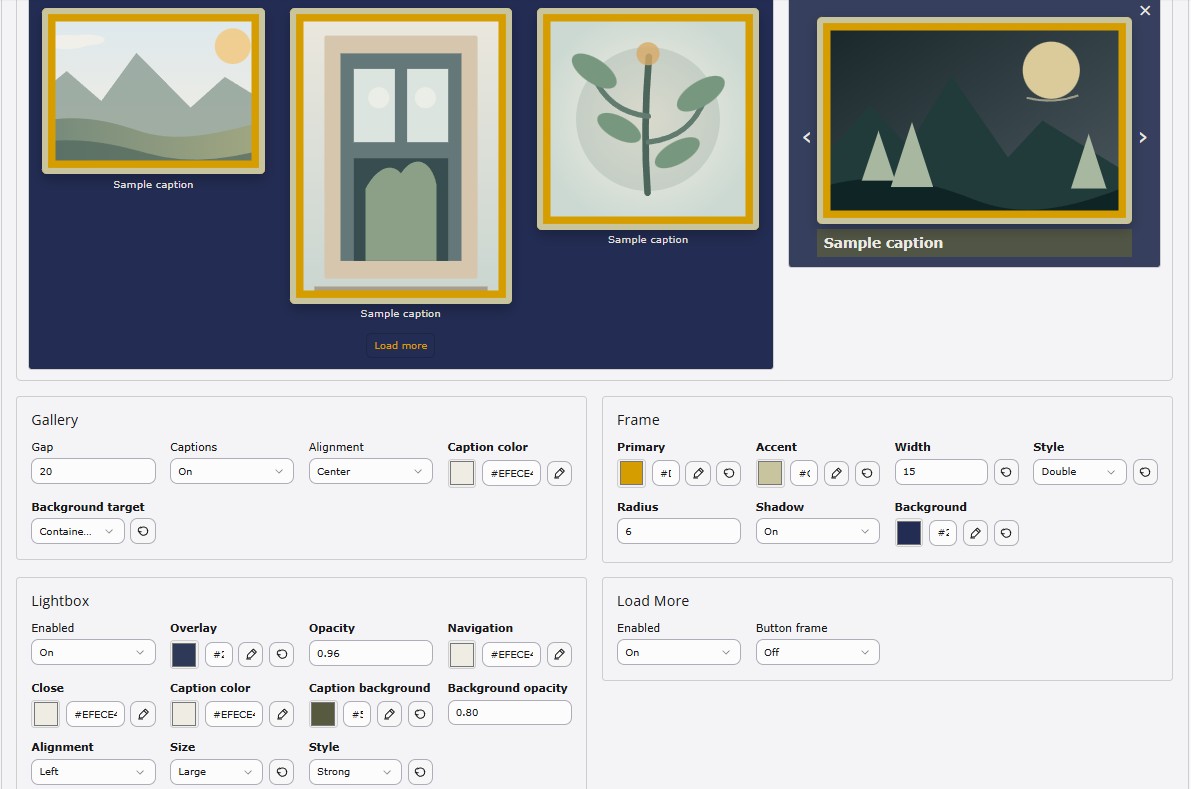
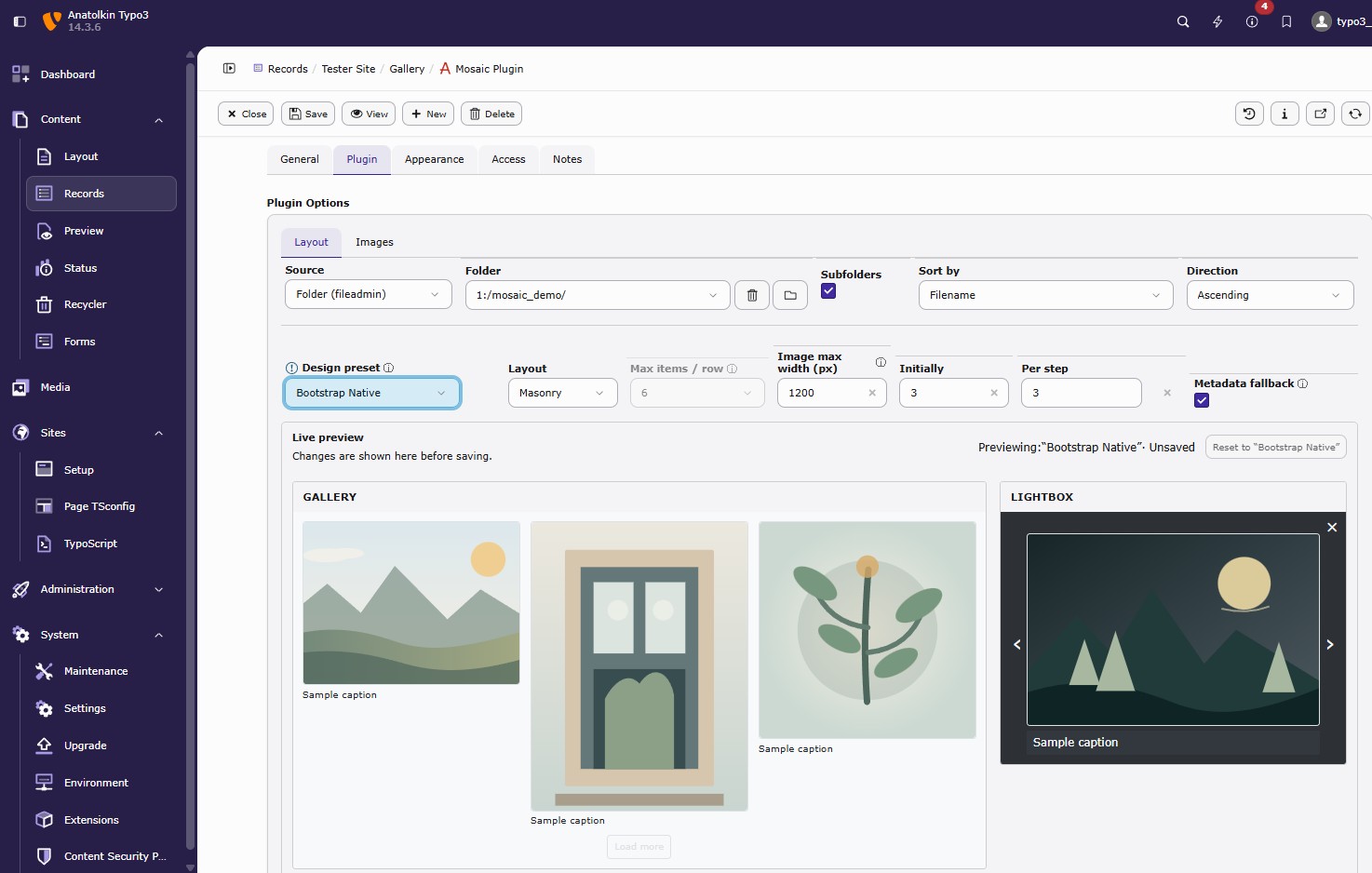
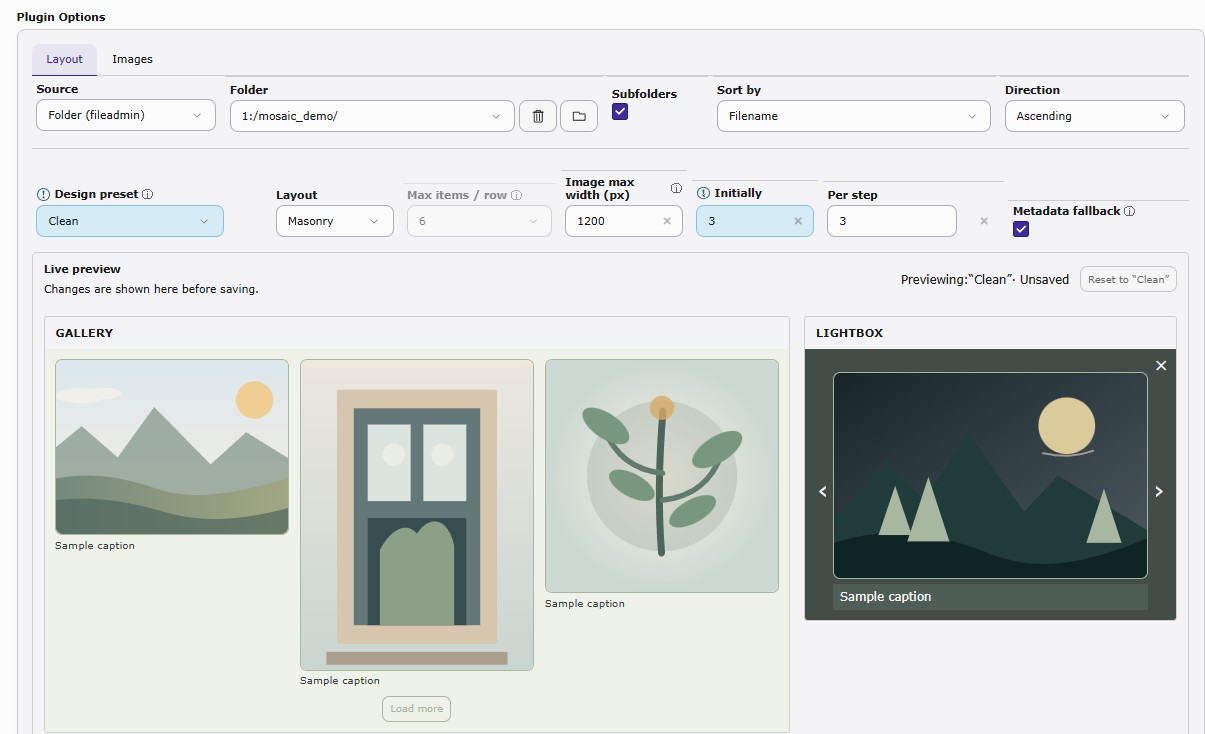
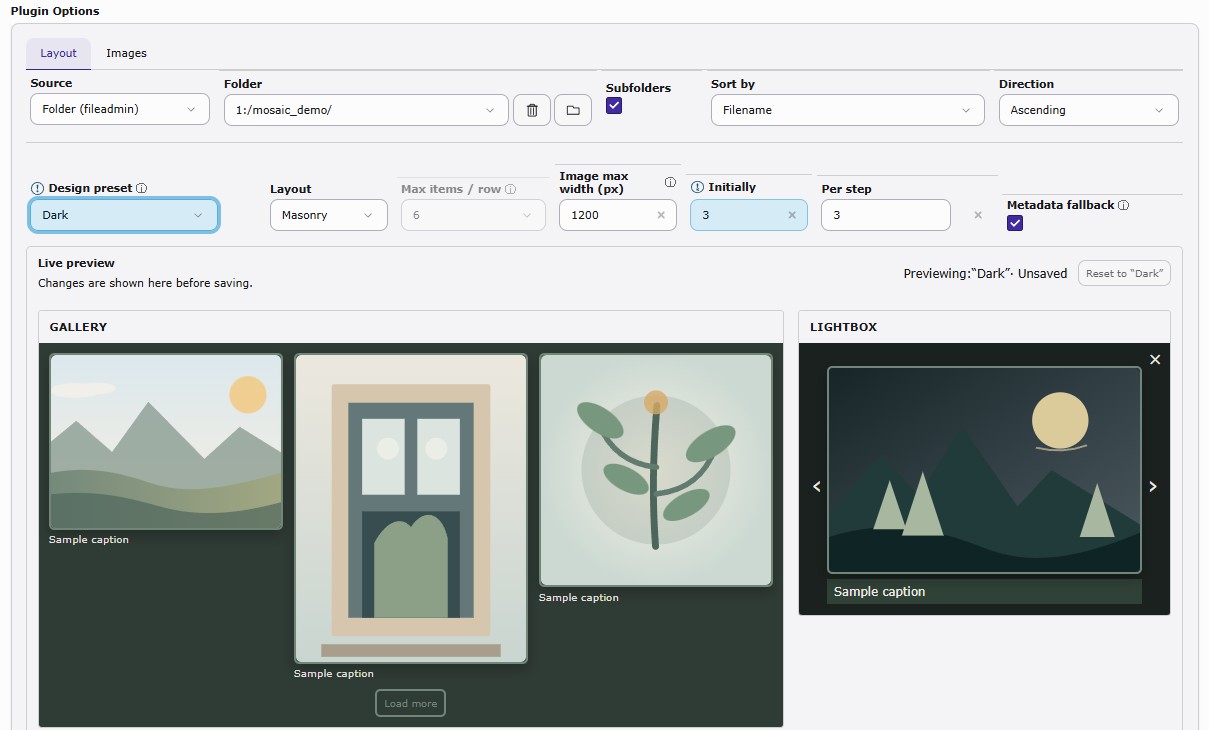
Setup and Settings Illustrations
Documentation & Release Notes
The current README contains installation instructions, TYPO3 13/14 compatibility notes, backend permissions, upgrade guidance, metadata behavior, and release information:
https://github.com/anatolkin-s/anatolkin-mosaic-gallery#readme
The current stable release is also available through GitHub and the TYPO3 Extension Repository.
One gallery, many looks
Layout is only part of the story.
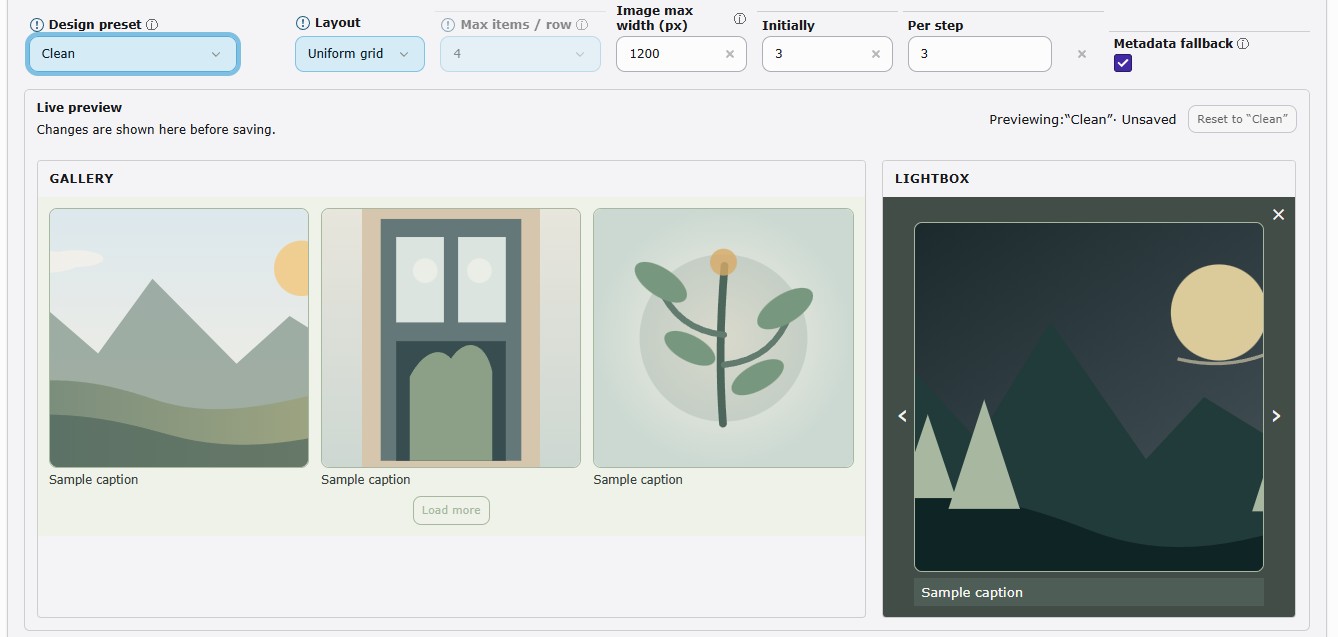
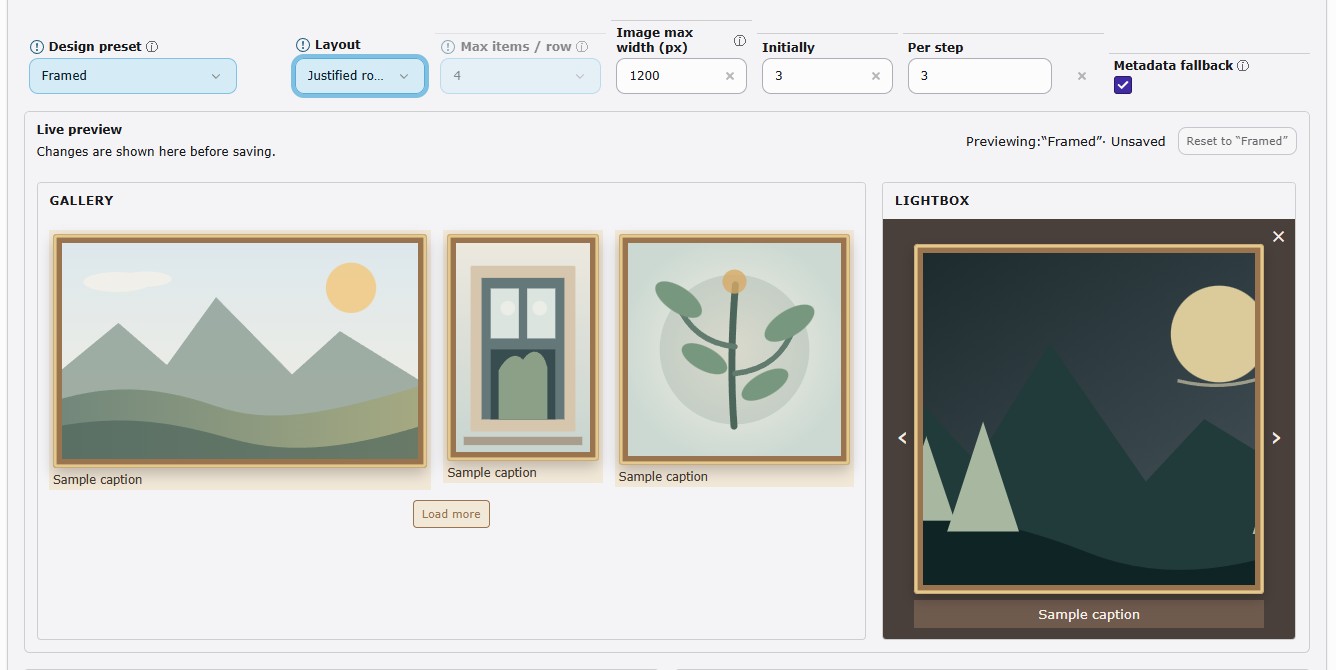
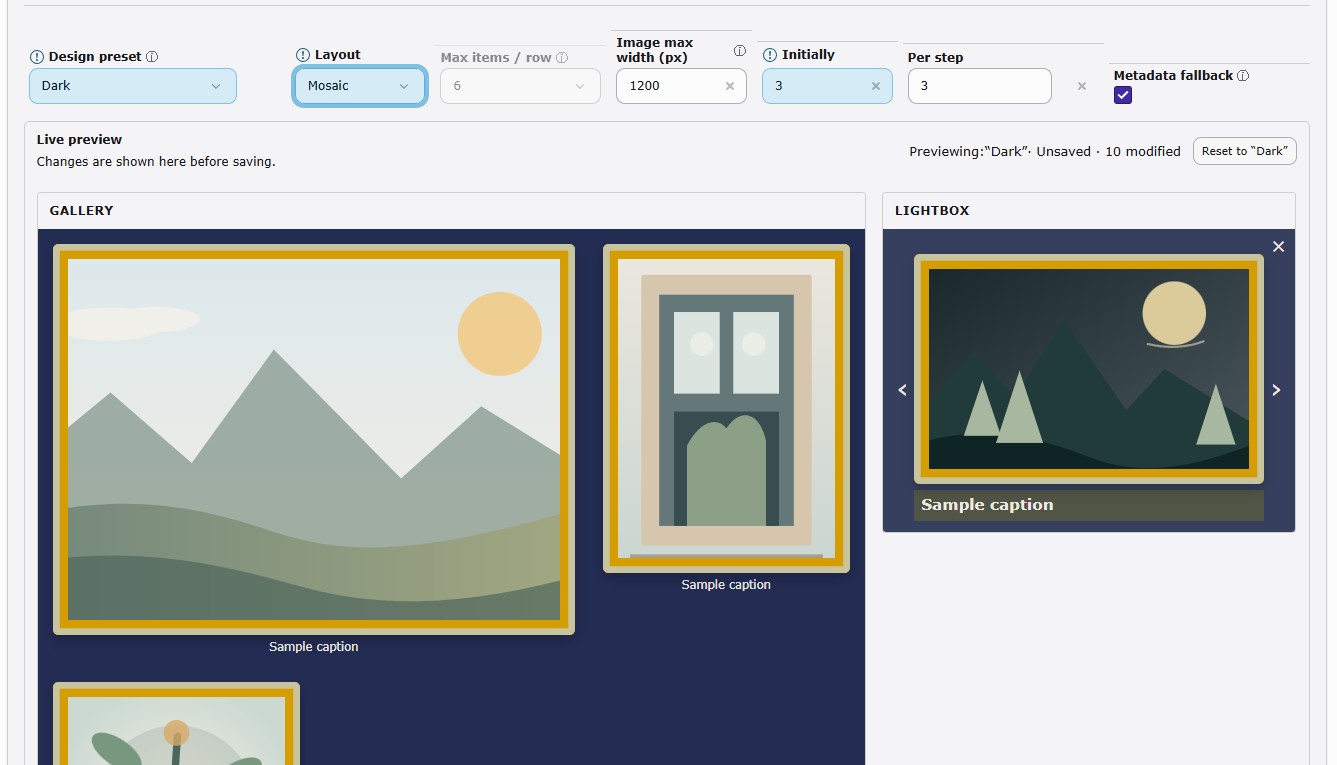
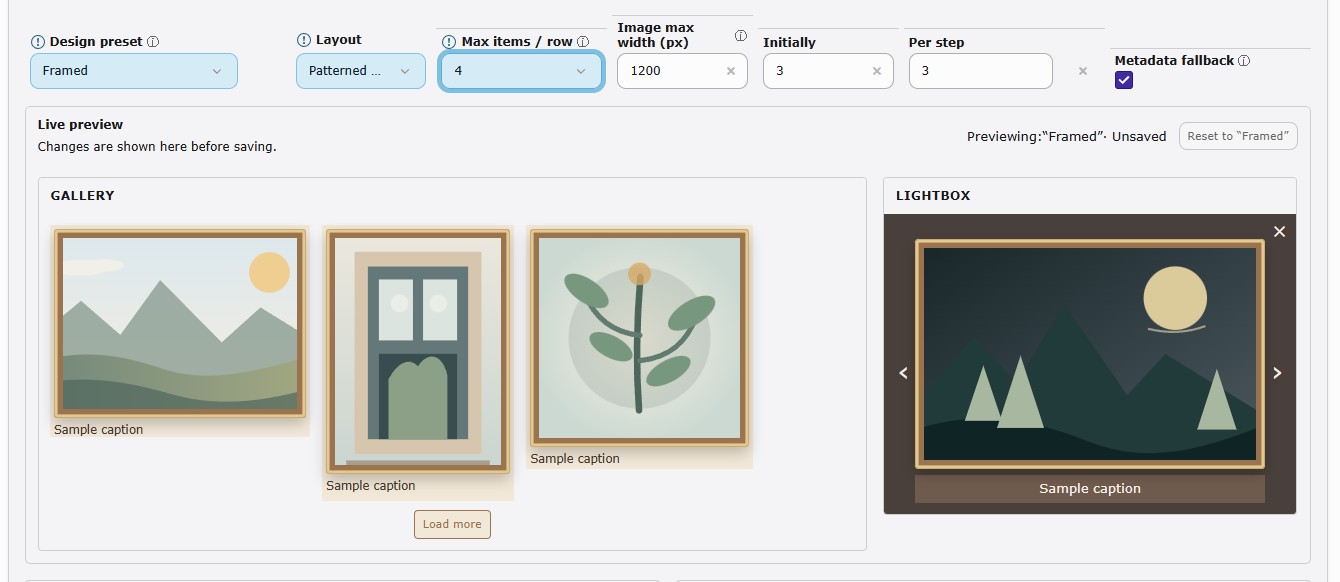
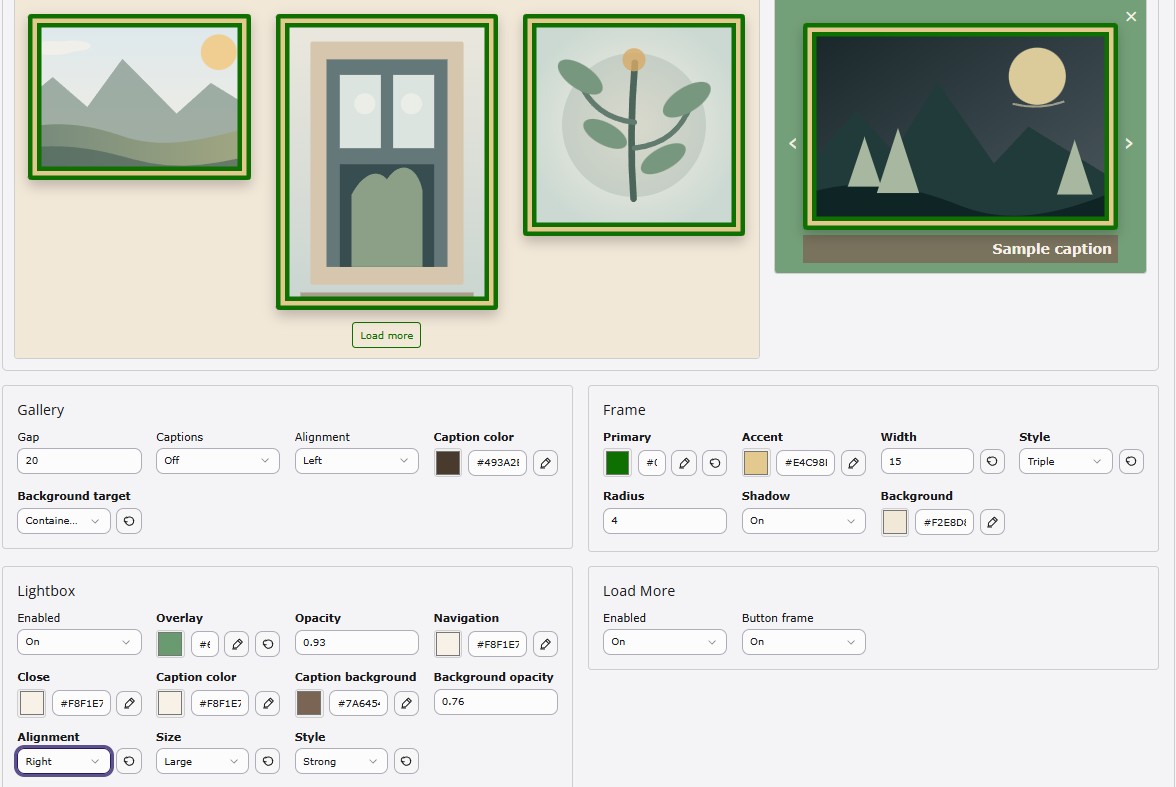
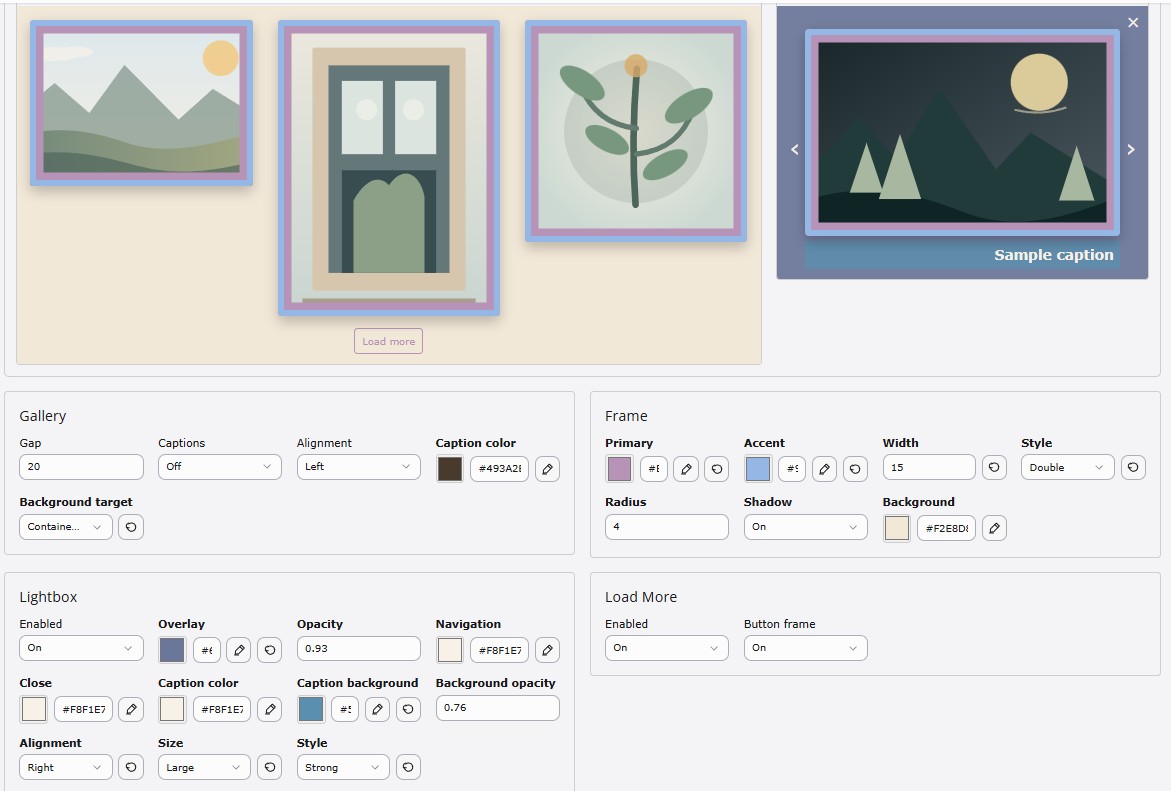
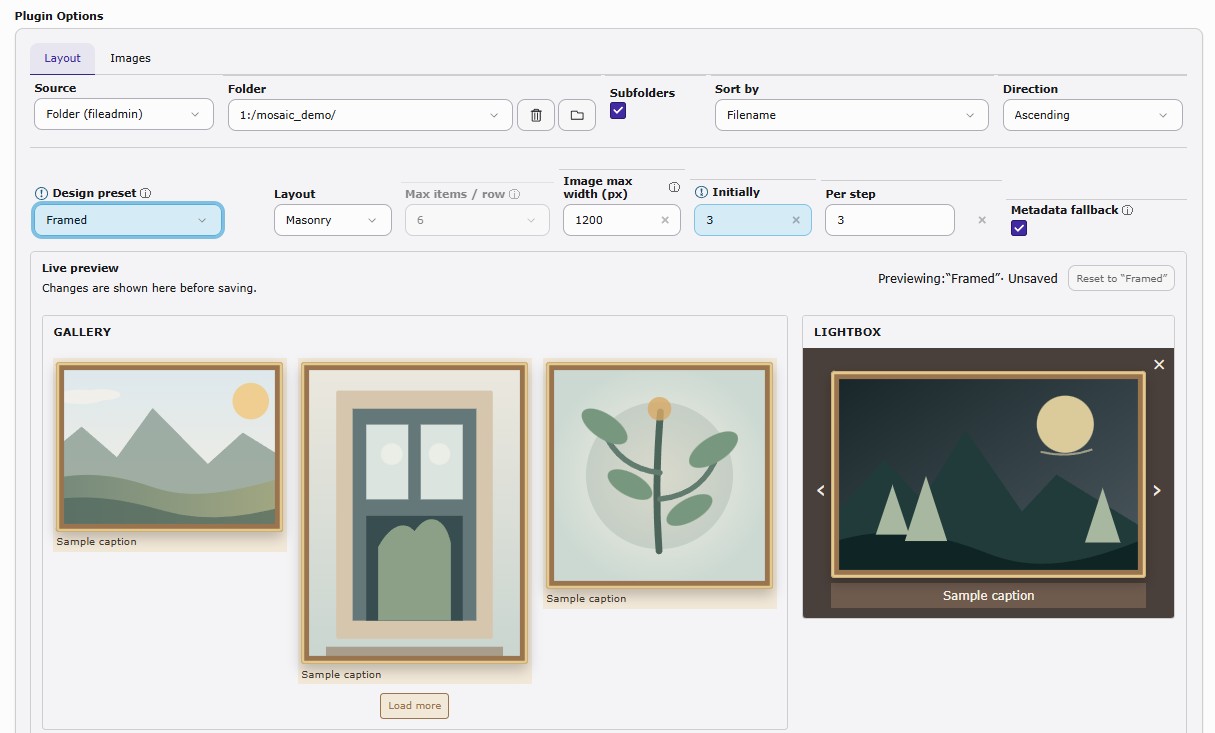
Each gallery can have its own appearance. Mosaic Gallery includes design presets together with gallery-specific overrides, so two galleries can use the same layout while looking completely different.
The backend provides a live preview for both the gallery and the lightbox while you configure the design.
You can control, among other things:
- spacing and image width
- captions
- backgrounds
- frame colors, accents, width, radius, and shadow
- gallery alignment
- Load More appearance
- Lightbox overlay and navigation colors
- Lightbox captions and caption backgrounds
This makes it possible to create very different presentations from the same gallery system — from minimal photography layouts to framed editorial presentations or darker artwork-focused galleries.
What you can do with it
- Five responsive layouts: Masonry, Mosaic, Patterned Mosaic, Justified Rows, and Uniform Grid
- Use images from a Fileadmin folder, optionally including subfolders
- Select individual Manual Images using TYPO3-native FAL FileReferences
- Reorder manually selected images
- Use TYPO3 FileReference crop support for Manual Images
- Design presets with per-gallery customization
- Live Gallery and Lightbox preview in the backend
- Configurable spacing, frames, backgrounds, shadows, corner radius, captions, and Lightbox appearance
- Optional GLightbox
- Progressive image loading with configurable initial batch and Load More step
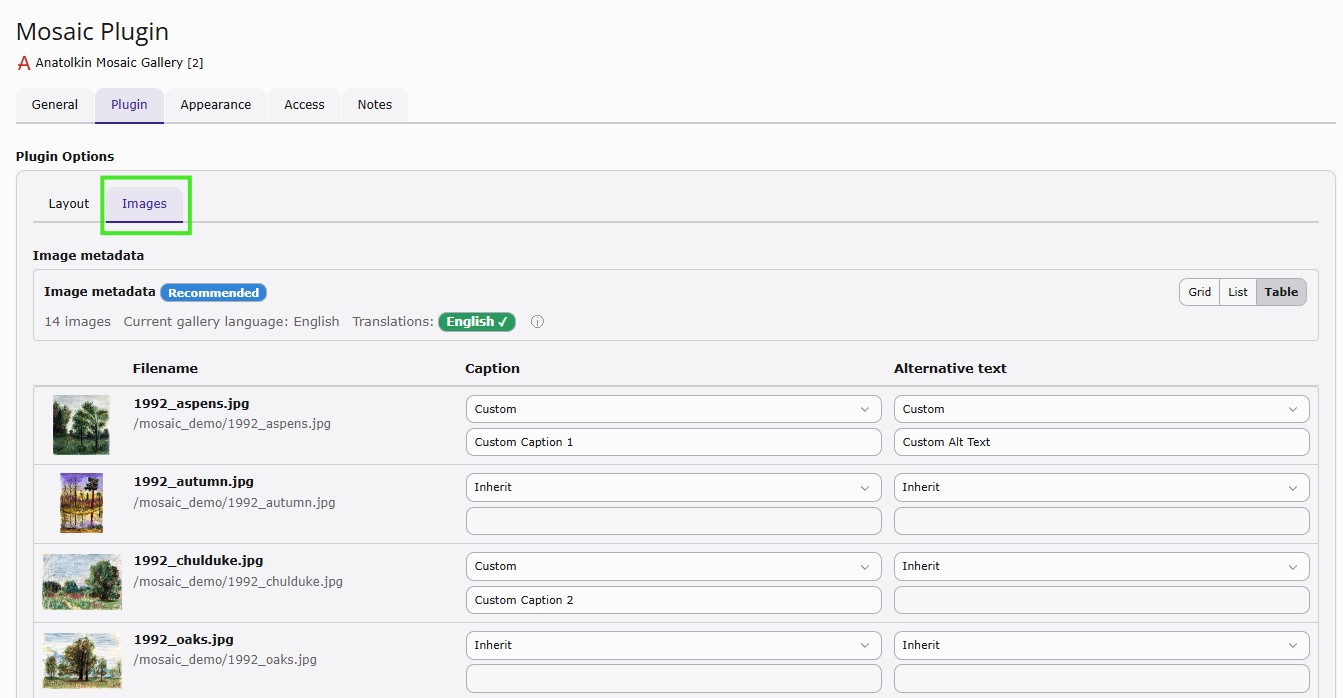
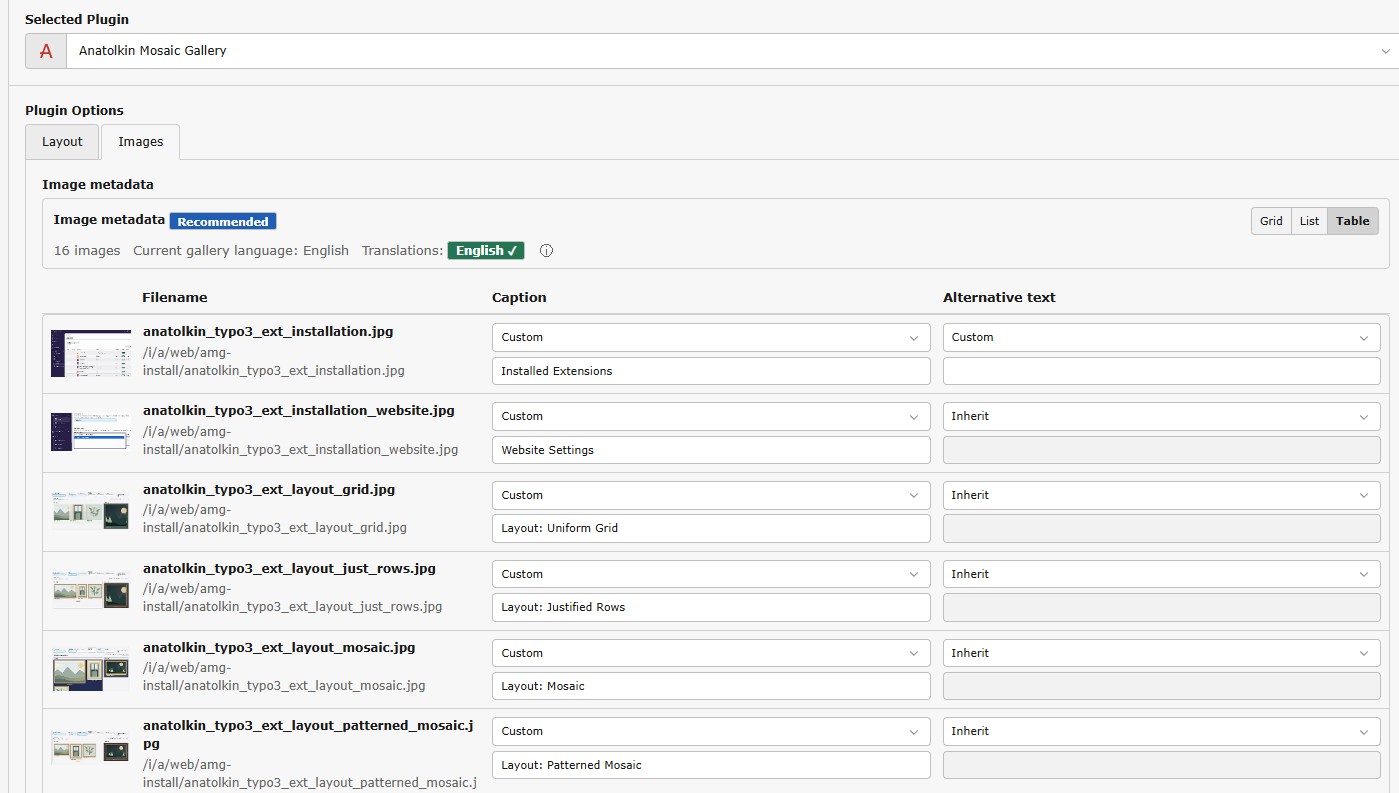
- Per-gallery Caption and Alternative Text overrides linked to TYPO3 files
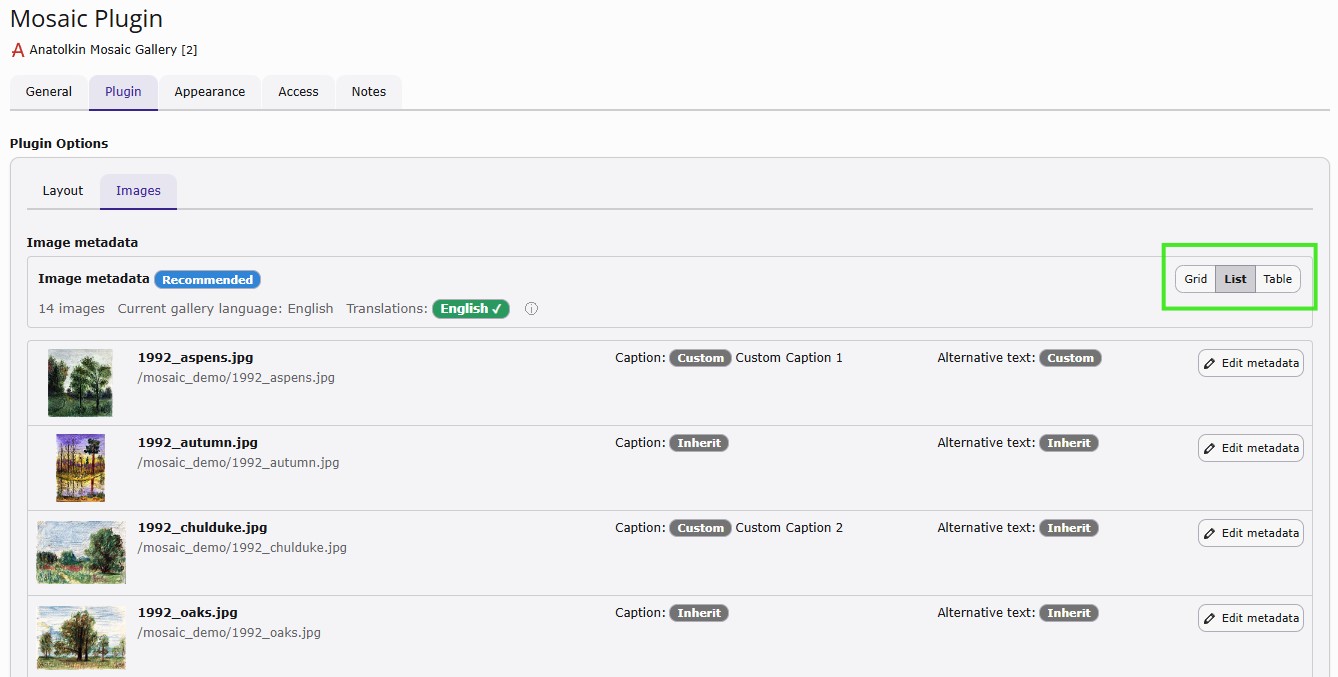
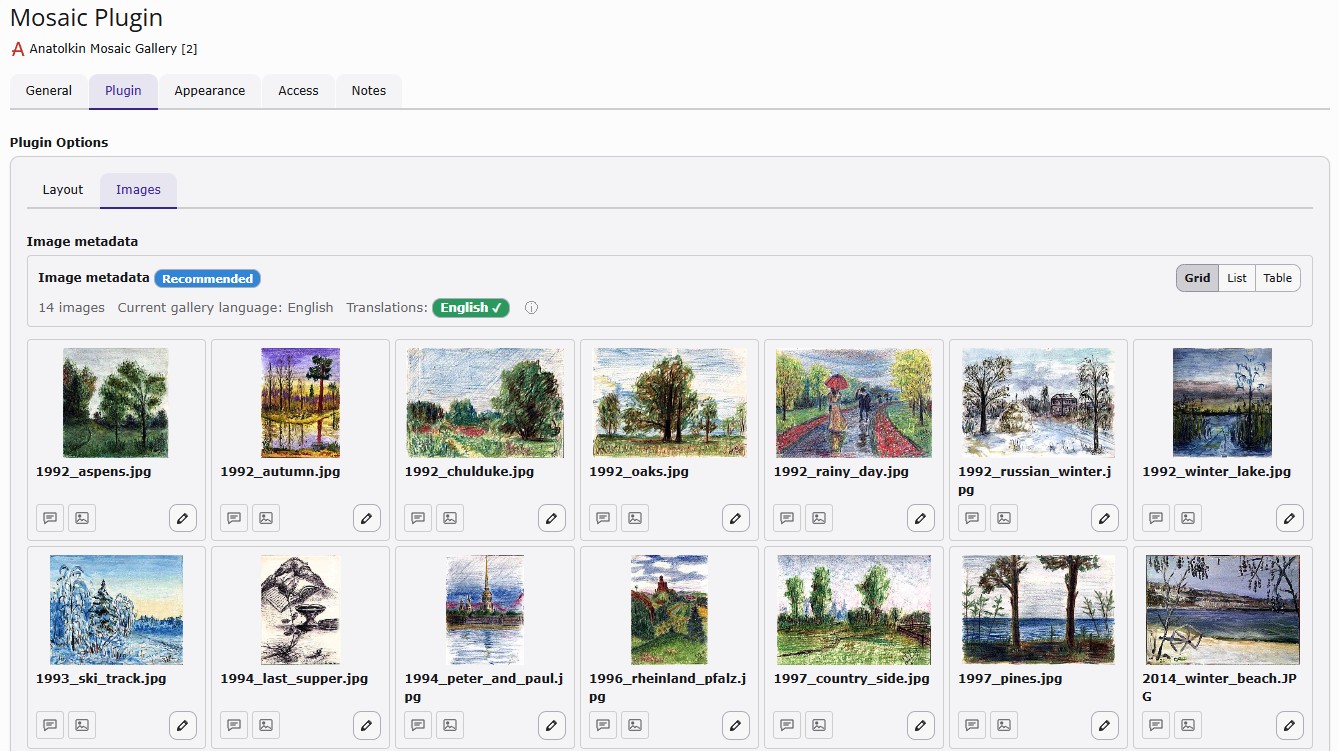
- Grid, List, and Table image-management views
- Live metadata workflow for Manual Images
- TYPO3-native multilingual metadata workflow
- Optional backend-group restrictions for individual Mosaic Gallery settings
- Administrator-safe FlexForm visibility
- Compact Layout and Images editing workspaces
- Backend interface translations for 35 languages
- RTL backend localization for Arabic, Hebrew, and Persian
- Backward-compatible support for existing galleries and legacy TYPO3 13 records
Supported backend interface languages
35 backend languages, including English, German, French, Spanish, Russian, Arabic, Hebrew, Persian, Japanese, Korean, Chinese and more.
Installation
Composer — recommended
From your TYPO3 project root:
sudo -u www-data -H composer require anatolkin/anatolkin-mosaic-gallery:^0.6Then apply the extension setup:
sudo -u www-data -H php vendor/bin/typo3 extension:setupIf configuration or public assets appear stale, flush the TYPO3 caches:
sudo -u www-data -H php vendor/bin/typo3 cache:flushThe Composer package name is:
anatolkin/anatolkin-mosaic-gallerySite Set integration
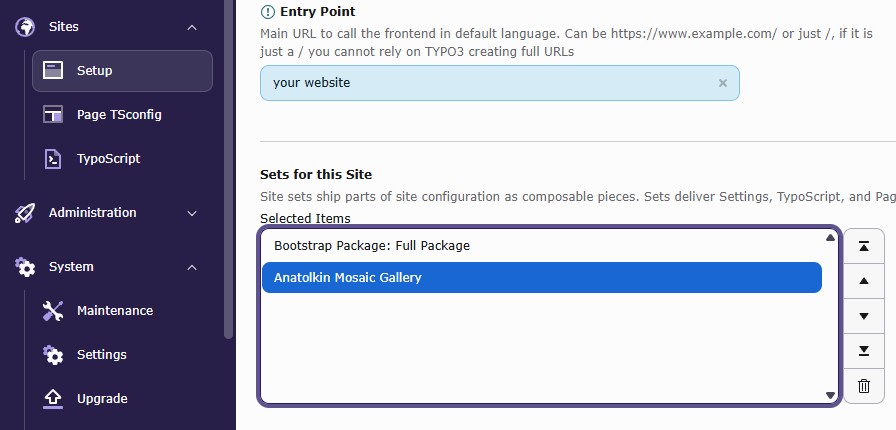
For TYPO3 13.4 and 14.3, the recommended frontend integration is the Anatolkin Mosaic Gallery Site Set.
In the TYPO3 backend:
Site Management → Sites → [your site] → Sets for this Site
Add:
Anatolkin Mosaic Gallery
Use either the Site Set integration or the documented legacy TypoScript integration — not both at the same time.
TYPO3 Extension Repository
You can also install the extension directly from the TYPO3 Extension Repository.
Extension key: anatolkin_mosaic_gallery
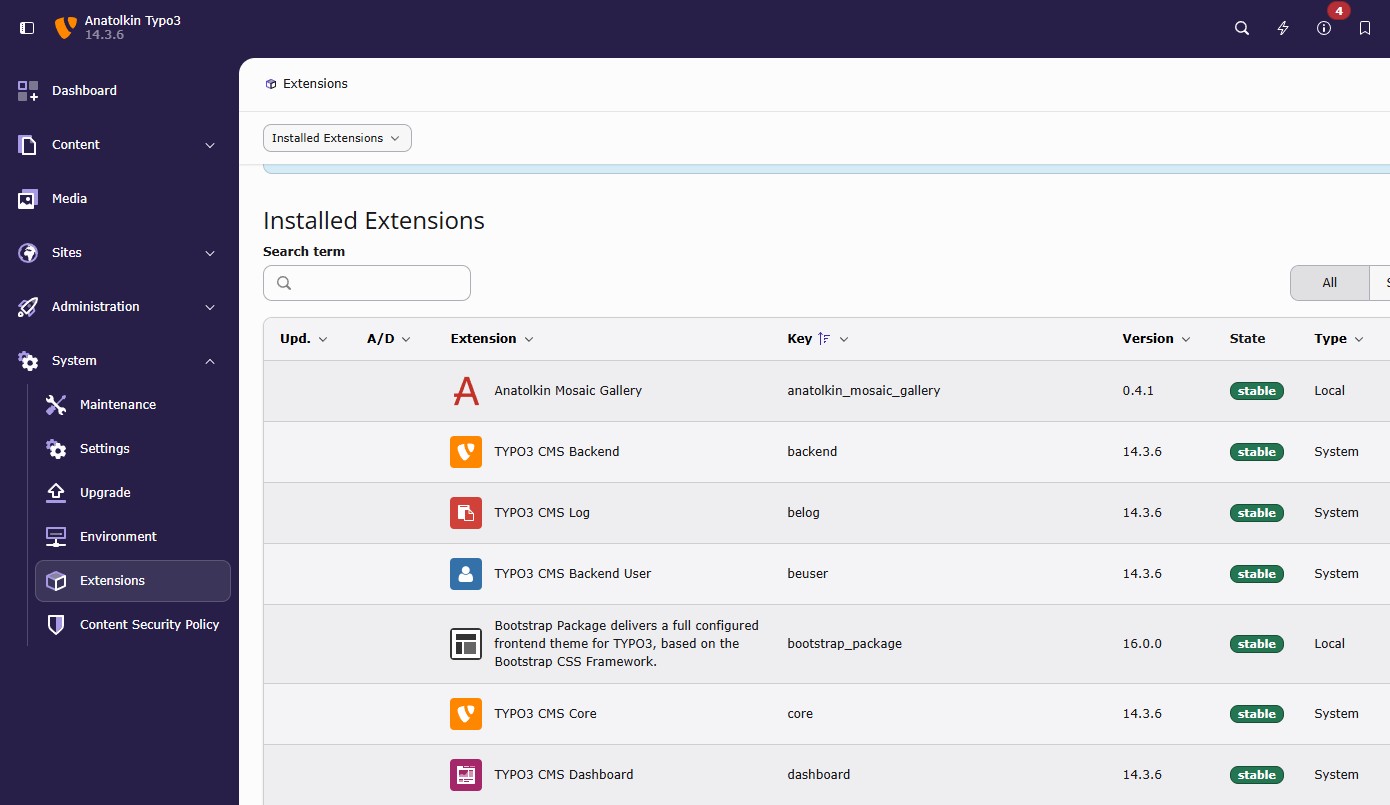
On a non-Composer TYPO3 installation, open Admin Tools → Extensions, search for Anatolkin Mosaic Gallery, and install the current stable release.
Manual ZIP installation
The release ZIP is also available from GitHub and the TYPO3 Extension Repository and can be installed through TYPO3’s extension management workflow where appropriate.
Backend permissions
Mosaic Gallery uses two separate TYPO3 permission layers for ordinary backend editors.
First, the Backend User Group must be allowed to create and edit the Mosaic Gallery content type:
Record Permissions → Explicitly allow field values → Page Content: Type → Anatolkin Mosaic Gallery
Second, administrators can optionally hide individual Mosaic Gallery settings for non-admin editors:
Module Permissions → Custom module options → Anatolkin Mosaic Gallery
The available options are grouped into General restrictions and Design restrictions.
These are optional Hide … rules. If no Mosaic-specific Hide option is selected, the editor keeps access to all Mosaic Gallery settings allowed by normal TYPO3 permissions.
Administrators always see all Mosaic Gallery FlexForm settings.
Updating from an earlier version
For Composer installations, the normal update command is:
sudo -u www-data -H composer update anatolkin/anatolkin-mosaic-gallery -WThen run:
sudo -u www-data -H php vendor/bin/typo3 extension:setupIf necessary:
sudo -u www-data -H php vendor/bin/typo3 cache:flushIf your project pins an older exact Mosaic Gallery version, you can widen the constraint first:
sudo -u www-data -H composer require anatolkin/anatolkin-mosaic-gallery:^0.6 -WExisting galleries
For galleries already using the current Mosaic Gallery content type:
CType=mosaicgallery_pi1updating to 0.6.2 does not require a database migration. Existing FlexForm values and gallery records remain preserved.
Very old TYPO3 plugin records
Older installations may still contain Mosaic Gallery records stored as legacy TYPO3 plugins:
CType=list
list_type=mosaicgallery_pi1
or:
CType=list
list_type=anatolkinmosaicgallery_pi1
TYPO3 13.4 contains a compatibility bridge so these records can still be rendered and edited before migration.
For a permanent conversion, use the Mosaic Gallery TYPO3 Upgrade Wizard:
mosaicGalleryCTypeMigrationIn the backend:
Admin Tools → System → Upgrade → Upgrade Wizard
For Composer installations:
vendor/bin/typo3 upgrade:list
vendor/bin/typo3 upgrade:run mosaicGalleryCTypeMigration
Legacy plugin records should be migrated before upgrading the TYPO3 installation itself to TYPO3 14.
What’s new in 0.6.2
Version 0.6.2 expands the backend interface to 35 languages, including RTL support for Arabic, Hebrew, and Persian.
It also includes several backend reliability improvements:
- administrators always see all Mosaic Gallery FlexForm settings
- optional Backend User Group Hide … restrictions remain available for non-admin editors
- TYPO3 content-type permissions are documented separately from Mosaic field restrictions
- the Layout and Images workspaces initialize reliably when TYPO3 FormEngine loads or replaces the edit form asynchronously
- gallery design controls remain in Layout
- source, folder/manual-image controls, and metadata remain in Images
- the behavior has been verified on TYPO3 13.4 and TYPO3 14.3 for administrators and non-admin editors
No database migration or Upgrade Wizard is required specifically for the 0.6.2 release.
Feedback & contributions
I originally built Anatolkin Mosaic Gallery because I wanted it for my own websites.
I still develop it in much the same way: by using it on real TYPO3 sites, finding things that could work better, listening to feedback, and gradually improving the extension.
If you use Mosaic Gallery and have an idea, find a bug, or would like to see another feature or layout, please let me know.
Feedback, contributions, testing, and support are always appreciated.